Parallels Desktop for Mac Overview of Windows Compatibility and Desktop Integration
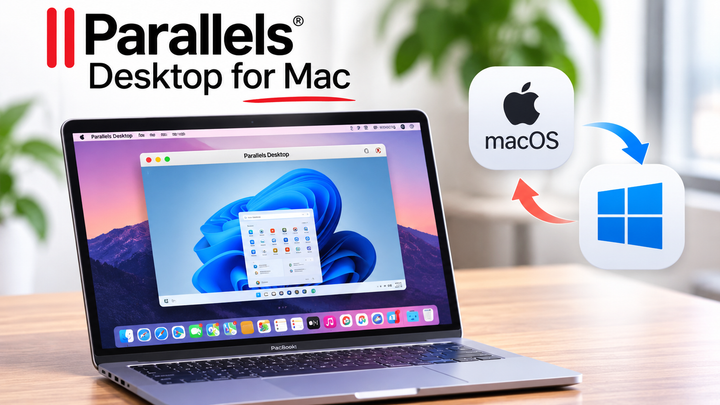
Parallels Desktop for Mac is virtualization software that allows users to run Windows and other supported operating systems on a Mac.
It creates a virtual machine in which a separate operating system can operate alongside macOS, helping users access applications and workflows that may not be available natively on their Mac.
Understanding Parallels Desktop for Mac involves exploring Windows compatibility, desktop integration, hardware requirements, security considerations, and system performance. These factors help students, developers, professionals, and everyday computer users determine how virtualization fits into their computing needs.
Context
Parallels Desktop for Mac is a desktop virtualization application developed to run another operating system within macOS. Instead of replacing macOS or requiring a separate physical computer, it creates a virtual environment where Windows can run in its own window or appear more closely integrated with the Mac desktop.
Virtualization uses software to allocate a computer's hardware resources to a guest operating system. In this arrangement, macOS acts as the host operating system, while Windows runs as the guest operating system inside a virtual machine. The virtual machine receives resources such as processor capacity, memory, storage, and virtualized hardware.
The distinction between Intel-based Macs and Apple silicon Macs is important. Apple silicon systems use ARM-based processors, so Windows compatibility depends on supported versions of Windows for ARM and the ability of Windows to run particular applications. Intel-based Macs have a different compatibility history and hardware architecture.
Parallels Desktop is designed to simplify this process through virtual machine creation, operating system installation, and desktop integration features. However, compatibility varies by Mac model, software version, Windows edition, and the applications being used.
Importance
Parallels Desktop for Mac is useful when a person needs Windows applications but prefers to continue working within macOS. It can reduce the need to switch between separate computers and provides a practical way to access different operating systems on compatible hardware.
Common use cases include:
Students using Windows-based educational applications alongside Mac productivity tools.
Developers testing applications across operating systems.
Business teams working with Windows-specific software and documents.
IT professionals evaluating software configurations in isolated virtual machines.
Individuals learning Windows administration, programming, and system management.
Desktop integration is another important feature. Depending on the configuration, users can move files between macOS and Windows, share selected folders, copy and paste text, and use compatible Mac peripherals within the virtual machine.
Feature | Purpose | Important consideration |
|---|---|---|
Windows virtualization | Runs Windows inside macOS | Requires a compatible Windows version |
Coherence mode | Displays Windows applications alongside Mac applications | Some applications may behave differently |
Shared folders | Provides access to selected files across systems | Permissions and privacy settings matter |
Clipboard integration | Transfers supported content between systems | Shared data can create security risks |
Virtual machine snapshots | Helps preserve or restore a system state | Snapshots are not a substitute for backups |
Resource allocation | Assigns memory and processor capacity | Excessive allocation can affect performance |
Although virtualization improves flexibility, it does not make every Windows application compatible. Some programs depend on specialized hardware, particular processor instructions, device drivers, or graphics capabilities that may not work as expected in a virtual machine.
Recent Updates
Virtualization technology continues to evolve alongside Apple's hardware and operating systems. For Parallels Desktop, an important development is support for Apple silicon Macs, which use ARM-based processors rather than the x86 processors found in traditional Intel Macs.
Windows 11 for ARM is relevant to many Apple silicon configurations. It is designed for ARM hardware and can run a range of applications built for ARM, as well as certain x86 and x64 applications through its own emulation capabilities. Nevertheless, applications that rely on unsupported drivers, particular hardware interfaces, or incompatible system components may not work correctly.
Compatibility should be evaluated across several layers:
Mac hardware and its processor architecture.
The macOS version and Parallels Desktop release.
The supported Windows edition and installation method.
The Windows application's processor architecture and system requirements.
Graphics, networking, USB devices, and other hardware dependencies.
Desktop integration features also remain an important area of development. Users may encounter options for running Windows applications in Coherence mode, managing virtual machines, sharing files, and adjusting hardware resources. The exact features available depend on the installed edition and software release.
Before installing a major update, users should review the official release notes and compatibility documentation. An update to macOS, Windows, or Parallels Desktop can affect virtual machine behavior, connected devices, or application performance. Maintaining current, compatible versions helps reduce avoidable technical problems.
Laws or Policies
Using Parallels Desktop involves software licensing, operating system activation, data protection, and organizational technology policies. Virtualization does not remove the legal requirements associated with the operating systems or applications running inside the virtual machine.
Windows licensing is particularly important. A valid Windows license and appropriate activation may be required, depending on the edition and usage arrangement. Users should review Microsoft's official licensing terms to determine which rights apply to their circumstances.
Organizations may also have rules governing confidential information, remote access, software installation, and the use of personal devices for business activities. A virtual machine should follow the same relevant data protection and cybersecurity requirements as other computing environments.
Important considerations include:
Confirming that the Windows edition is licensed for the intended use.
Reviewing the licensing terms for applications installed in Windows.
Protecting confidential files stored in shared folders.
Applying security updates to both macOS and Windows.
Following organizational policies for encryption, access control, and data retention.
In India, the Information Technology Act, 2000, and the Digital Personal Data Protection Act, 2023, are relevant legal frameworks to understand when handling digital information and personal data, subject to their applicable provisions, rules, and commencement status. Organizations should consult current official guidance to determine which requirements apply to their activities.
A virtual machine can help separate operating systems, but it is not automatically a complete security boundary. Shared folders, clipboard access, network connections, and connected devices can create pathways between environments. Appropriate permissions and security controls remain necessary.
Tools and Resources
Several resources can help users understand Parallels Desktop for Mac, prepare a Windows virtual machine, and troubleshoot compatibility issues. Official documentation should be the starting point because requirements and supported configurations can change between releases.
Useful resources include:
Parallels official website: Provides product information, system requirements, release details, and virtualization documentation.
Parallels support documentation: Explains virtual machine setup, Windows installation, Coherence mode, file sharing, and troubleshooting.
Microsoft Windows documentation: Covers Windows 11 for ARM, activation, application compatibility, and system requirements.
Apple support documentation: Provides information about Mac hardware, macOS compatibility, storage, and Apple silicon.
Microsoft Learn: Offers technical explanations of Windows architecture, application compatibility, and security features.
A basic preparation checklist can help prevent common installation problems.
Preparation step | What to check |
|---|---|
Hardware | Confirm Mac processor architecture and available memory |
Storage | Allow sufficient space for Windows, applications, and updates |
Operating system | Verify supported macOS and Windows versions |
Licensing | Check Windows activation and application usage rights |
Backups | Preserve important files before major changes |
Security | Configure updates, permissions, and access controls |
Users should also consider how much memory and processor capacity to allocate to the virtual machine. Assigning too many resources to Windows may leave macOS with insufficient capacity for other applications. Monitoring performance during normal workloads helps identify a suitable configuration.
FAQs
1. What is Parallels Desktop for Mac used for?
Parallels Desktop runs supported operating systems, including Windows, in virtual machines on compatible Macs. It helps users access Windows applications without replacing macOS.
2. Can Parallels Desktop run Windows 11 on Apple silicon Macs?
Compatible versions can run supported editions of Windows 11 for ARM on Apple silicon Macs. Users should verify the current hardware, operating system, and licensing requirements before installation.
3. Can Windows applications work alongside Mac applications?
Yes. Depending on application compatibility and configuration, features such as Coherence mode allow Windows applications to appear alongside macOS applications. Some programs may still have limitations.
4. Does Parallels Desktop support every Windows application?
No. Compatibility depends on processor architecture, application requirements, drivers, graphics capabilities, and hardware dependencies. Applications requiring specialized drivers or unsupported components may not function correctly.
5. Is a virtual machine automatically secure?
No. Virtualization provides an additional layer of separation, but shared files, clipboard access, network connections, and outdated software can introduce risks. Users should maintain updates, backups, and appropriate security settings.
Conclusion
Parallels Desktop for Mac provides a practical approach to Windows compatibility and desktop integration by allowing supported operating systems to run in virtual machines. Its usefulness depends on hardware architecture, application requirements, licensing, and the resources available on the Mac.
Users should verify current compatibility information before installation and maintain appropriate security controls throughout the virtual machine's lifecycle. Understanding these factors helps create a more reliable and efficient computing environment.
For students, developers, and professionals, virtualization can simplify access to different software environments. Careful configuration and regular maintenance are essential for achieving consistent performance.