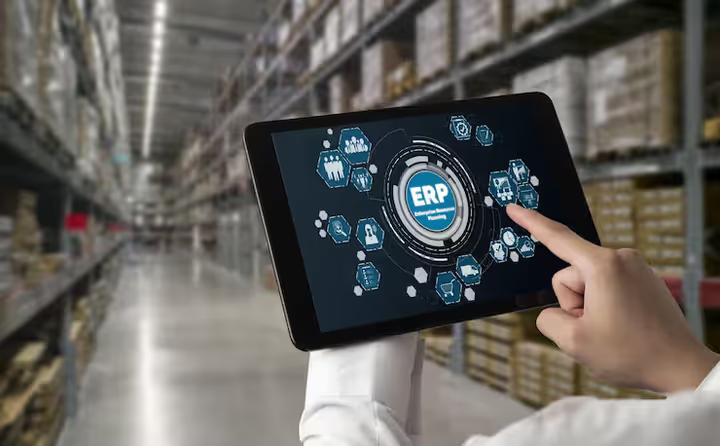
ERP Software for Small Manufacturers: A Guide to Features and Production Management
ERP software for small manufacturers helps businesses coordinate production planning, inventory, purchasing, accounting, quality control, and order management through a connected digital system. ERP stands for Enterprise Resource Planning.
It brings information from different business activities into a shared environment, helping manufacturers understand material availability, production progress, and operational requirements.
Small manufacturing businesses often begin with spreadsheets, paper records, and separate applications for tracking inventory and production. As operations become more complex, these methods can make it difficult to maintain consistent information across departments. ERP software addresses this challenge by connecting essential business processes and reducing the need to enter the same information repeatedly.
Manufacturing ERP systems developed from earlier material requirements planning (MRP) systems, which helped manufacturers calculate the materials needed for production. Over time, these systems expanded to include inventory, finance, purchasing, customer orders, workforce planning, and reporting.
Today, ERP software is available through cloud-based platforms, locally installed systems, and hybrid arrangements. The appropriate structure depends on the manufacturer's production processes, technical resources, data requirements, and operational scale.
How Manufacturing ERP Works
A manufacturing ERP system connects information from multiple departments. When an order is recorded, the system can use production schedules, inventory records, and material requirements to help determine how the order should be processed.
For example, a small furniture manufacturer may receive an order for several wooden tables. The ERP system can record the order, check timber and hardware availability, calculate material requirements using a bill of materials, and help schedule production activities.
As materials are issued and finished products are recorded, the system can update inventory quantities and provide information about order progress. The exact level of automation depends on the software, configuration, and equipment connected to it.
Common Types of ERP Software
Manufacturers generally encounter three deployment approaches. Cloud ERP runs through internet-connected infrastructure managed by a provider, while on-premises ERP operates on equipment maintained by the organization. Hybrid ERP combines selected cloud and locally managed components.
Cloud systems can simplify remote access and infrastructure management, although they depend on connectivity and provider arrangements. On-premises systems can provide greater direct control over certain technical environments, but the organization must manage maintenance, security, backups, and upgrades.
Hybrid arrangements may suit businesses that need local control over particular production systems while using cloud tools for planning or reporting.
Why ERP Software Matters for Small Manufacturers
Small manufacturers must coordinate materials, machines, production schedules, suppliers, employees, and customer requirements. A delay in one area can affect several other activities. Missing inventory information may interrupt production, while inaccurate schedules can create unnecessary waiting time or late deliveries.
ERP software provides a shared view of these activities. Rather than relying on separate records maintained by different employees, teams can work from consistent information about orders, stock levels, and production status.
Improving Production Planning
Production planning involves deciding what to manufacture, when to manufacture it, and which resources are required. ERP software can support this process by connecting customer orders with available materials, machine capacity, and planned production activities.
Manufacturers can use production schedules to organize work across different machines or workstations. However, schedules remain dependent on accurate data, realistic production times, and the availability of equipment and staff.
Managing Inventory and Materials
Inventory management is particularly important for businesses that handle multiple raw materials, components, and finished products. ERP software can record stock movements, identify material shortages, and help establish reorder levels.
A bill of materials (BOM) specifies the materials and components required to manufacture a product. When connected to production planning, it helps calculate material requirements for planned quantities.
For example, a product requiring four metal brackets will need 400 brackets for a production batch of 100 units, before accounting for scrap, defects, or additional requirements. This calculation helps purchasing and production teams coordinate material availability.
Supporting Business Decisions
ERP reporting can help managers review production output, inventory movements, purchasing activity, and order completion. These records provide a basis for identifying delays, material waste, and recurring production problems.
The quality of these insights depends on accurate data entry and consistent operating procedures. ERP software organizes information, but managers still need to interpret the results and address the underlying causes of operational difficulties.
Recent Developments in Manufacturing ERP
Manufacturing ERP software continues to evolve through cloud computing, artificial intelligence, connected machinery, and improved data analysis. Across the 2024–2026 period, the broader direction has been toward connecting planning systems with real-time operational information and reducing manual work in routine processes.
Cloud ERP and Remote Access
Cloud-based ERP platforms allow authorized users to access production and inventory information from different locations. This can help manufacturers coordinate purchasing, administration, warehouses, and production management without maintaining every software component locally.
Some platforms provide modular configurations, allowing organizations to introduce selected functions before expanding to other departments. Integration requirements, internet reliability, data residency, and recurring subscription arrangements remain important considerations.
Artificial Intelligence and Predictive Analysis
AI-assisted capabilities are increasingly being incorporated into business software. In manufacturing environments, these capabilities may support demand forecasting, anomaly detection, production analysis, and maintenance planning.
Predictive maintenance uses equipment data to estimate when machinery may require attention. When ERP software is connected to suitable maintenance or monitoring systems, managers can relate equipment conditions to production schedules and maintenance records.
These capabilities require appropriate data and technical validation. Predictions may be inaccurate when information is incomplete, equipment conditions change, or the underlying model does not reflect actual production circumstances.
Integration with Manufacturing Equipment
Manufacturers may connect ERP systems with manufacturing execution systems (MES), machine sensors, barcode scanners, and warehouse technologies. ERP typically focuses on business planning and resource coordination, while MES systems monitor and manage production activities on the factory floor.
Integration can help update material consumption, production quantities, and equipment status. The degree of connection varies, and some installations require additional software, interfaces, or equipment.
The following table explains how common ERP features support manufacturing operations.
ERP feature | Main function | Manufacturing example |
|---|---|---|
Production planning | Organizes production schedules | Assigning work to production lines |
Inventory management | Tracks materials and products | Checking raw material availability |
Bill of materials | Lists product components | Calculating parts needed for an assembly |
Purchasing | Records procurement requirements | Preparing orders for missing materials |
Quality management | Documents inspections and defects | Recording rejected components |
Maintenance management | Tracks equipment maintenance | Scheduling machine inspections |
Financial management | Records financial transactions | Monitoring production-related expenses |
Reporting and analytics | Summarizes operational data | Reviewing output and production delays |
Laws and Policies Affecting Manufacturing ERP in India
Manufacturing ERP software must support the operational and recordkeeping requirements relevant to the business. In India, these requirements can involve taxation, accounting, workplace safety, data protection, and industry-specific standards.
The software itself does not establish compliance automatically. Manufacturers remain responsible for configuring records correctly, following applicable regulations, and keeping supporting documentation.
GST and Electronic Records
India's Goods and Services Tax framework affects invoices, tax reporting, and business records for applicable transactions. ERP systems may support GST-related invoice preparation, tax calculations, transaction records, and integration with compatible accounting or electronic invoicing systems.
Electronic invoicing requirements apply to specified categories of taxpayers under the relevant rules and thresholds. Businesses should verify current requirements with the Central Board of Indirect Taxes and Customs (CBIC) and other official government resources.
Accounting and inventory records should also be maintained in accordance with applicable legal and tax requirements. ERP configuration should reflect the business's actual transactions rather than relying entirely on default settings.
Data Protection and Cybersecurity
ERP systems may contain supplier details, employee information, customer records, production data, and financial information. India's Digital Personal Data Protection Act, 2023 establishes a framework for processing digital personal data, subject to applicable provisions, commencement notifications, and rules.
Manufacturers should examine access permissions, backup arrangements, retention policies, and the security practices of their software providers. Personal information should be handled according to the legal requirements applicable to the organization.
Quality and Workplace Requirements
Manufacturers may need to maintain inspection records, batch details, equipment maintenance histories, or traceability information under applicable industry rules and quality standards. ERP software can help organize these records, but the required controls depend on the product and industry.
For example, businesses manufacturing regulated products may face requirements that differ from those applying to furniture or general metal fabrication. Organizations should identify the relevant regulatory framework before configuring quality management and document retention processes.
Tools and Resources for Selecting Manufacturing ERP
Selecting ERP software involves understanding existing workflows before comparing technical features. Small manufacturers can begin by documenting their production stages, inventory categories, purchasing procedures, reporting requirements, and current administrative systems.
ERP Platforms to Research
Several platforms provide ERP or manufacturing management capabilities for small and medium-sized businesses.
Odoo: Provides modular business applications, including manufacturing, inventory, purchasing, and accounting functions.
ERPNext: Includes manufacturing, inventory, purchasing, accounting, and other business modules.
Microsoft Dynamics 365 Business Central: Supports financial management, inventory, purchasing, and connected operational processes, with manufacturing capabilities depending on configuration and related applications.
SAP Business One: Supports business management, inventory, purchasing, finance, and production-related processes.
MRPeasy: Focuses on production planning, inventory, purchasing, and manufacturing operations for smaller manufacturers.
Feature availability, licensing terms, implementation requirements, and integration capabilities vary by platform and configuration. These names are starting points for research rather than an indication that one system fits every manufacturing environment.
A Practical ERP Evaluation Checklist
Manufacturers can compare potential systems against their actual operating requirements.
Production needs: Confirm support for bills of materials, production orders, work centres, and scheduling.
Inventory control: Check whether the system tracks multiple warehouses, batch numbers, serial numbers, and material movements where needed.
Financial records: Examine accounting functions and applicable tax requirements.
Ease of use: Assess whether employees can complete routine tasks accurately.
Integration: Check compatibility with existing accounting tools, scanners, machinery, and other systems.
Data security: Review user permissions, backup arrangements, recovery processes, and provider policies.
Implementation: Understand data migration, staff training, customization, and ongoing maintenance requirements.
A small manufacturer can also prepare a sample production workflow and test it with representative data. This helps reveal whether the system can handle actual processes, including material shortages, rejected items, revised production quantities, and order changes.
Frequently Asked Questions
What is ERP software for small manufacturers?
ERP software for small manufacturers connects production planning, inventory, purchasing, accounting, and other business activities. It provides shared records that help teams coordinate materials, schedules, and orders.
Which ERP features are important for production management?
Commonly important features include production planning, bills of materials, inventory tracking, purchasing, quality records, and production reporting. The required combination depends on the manufacturing process and the complexity of operations.
Is cloud ERP suitable for a small manufacturing business?
Cloud ERP can support remote access and reduce the need to maintain certain local infrastructure. Suitability depends on internet reliability, security requirements, integration needs, and the manufacturer's operating environment.
What is the difference between ERP and MRP software?
MRP primarily calculates material requirements and supports production planning. ERP covers a broader range of business functions, which may include MRP alongside accounting, purchasing, inventory, sales orders, and reporting.
How long does manufacturing ERP implementation take?
Implementation time varies according to data quality, system complexity, customization, integrations, and staff training. A relatively simple setup may take less time than a multi-site implementation with extensive production and accounting requirements.
Conclusion
ERP software helps small manufacturers coordinate production management, inventory, purchasing, quality records, and financial information through connected business processes. Cloud platforms, AI-assisted analysis, and equipment integration are expanding the ways manufacturers organize operational data. In India, ERP configuration should account for applicable tax, recordkeeping, data protection, and industry-specific requirements. Effective implementation depends on accurate information, suitable system design, staff training, and ongoing review of operational processes.