Office booking systems, also known as workplace reservation systems, are digital platforms designed to help people reserve desks, meeting rooms, or shared workspaces before arriving at an office. They exist to organize how physical office space is used when not everyone is present at the same time.
For many years, offices relied on assigned seating and predictable schedules. As flexible work arrangements expanded, this model became harder to manage. Fewer people were in the office every day, while some days saw higher attendance than others. Office booking systems emerged as a practical response to this shift.
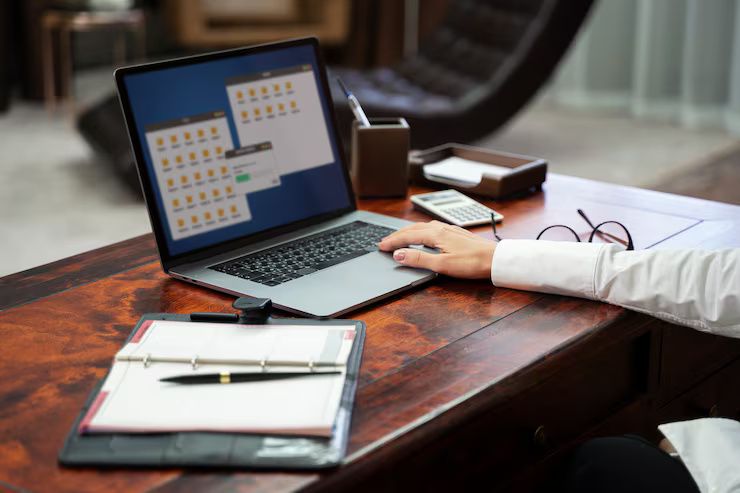
These systems typically operate through web dashboards or mobile applications. Users can view available spaces, select dates, and confirm reservations. Some systems also display floor plans, making it easier to understand where a desk or room is located.
At a broader level, office booking systems are part of workplace management software. They support planning, coordination, and transparency in environments where space is shared rather than fixed.
Importance: Why Workplace Reservation Systems Matter Today
Workplace reservation systems matter because they help balance flexibility with structure. As hybrid and remote work patterns continue, organizations need ways to manage limited office space without confusion.
They affect several groups:
-
Employees who want certainty about where they will work
-
Teams that plan in-office collaboration days
-
Facilities and operations staff managing buildings
-
Organizations analyzing office utilization
The main problems these systems help solve include:
-
Too many people arriving on the same day
-
Desks or rooms appearing unavailable when they are unused
-
Unclear seating arrangements for visitors or rotating teams
-
Difficulty understanding how often the office is actually used
By providing real-time availability and historical data, booking systems help reduce uncertainty. They allow people to plan their schedules with confidence while giving organizations insights into how space is being used.
From a planning perspective, these systems also support long-term decisions. Data from reservations can guide adjustments to office layouts, capacity planning, and workplace policies.
Recent Updates: Trends and Developments in the Past Year
Over the past year, office booking systems have continued to evolve alongside workplace technology.
Key updates and trends since 2024 include:
-
Advanced reporting features: Many platforms added more detailed usage dashboards in late 2024, helping organizations track attendance patterns over time.
-
Automation improvements: In early 2025, some systems introduced automated desk recommendations based on previous bookings or team preferences.
-
Stronger calendar connections: Deeper integration with tools like Microsoft Outlook and Google Workspace became more common, reducing the need to manage bookings separately.
-
Mobile-first design: Updates released throughout 2024 focused on simplifying mobile interfaces, reflecting how often reservations are made on phones.
-
Team-based planning: A growing trend in 2025 is booking by group or department rather than by individual, supporting coordinated in-office days.
These changes show a shift toward making workplace reservation systems less administrative and more integrated into daily work routines.
Laws and Policies: How Regulations Influence Office Booking Systems
Office booking systems are shaped by data protection, workplace safety, and accessibility rules. The exact requirements depend on the country and region where the office operates.
In the European Union, systems must align with the General Data Protection Regulation. This affects how personal data, such as names, booking history, and attendance patterns, is collected and stored. Transparency about data use is a key requirement.
Other policy considerations include:
-
Health and safety guidelines: Occupancy limits and emergency procedures can influence how many people are allowed to reserve a space at one time.
-
Workplace monitoring rules: Some regions require clear communication when digital tools track employee presence.
-
Accessibility standards: Workplace software may need to meet digital accessibility guidelines so it can be used by people with visual, motor, or cognitive impairments.
In countries outside the EU, similar data protection frameworks apply, such as national privacy acts or sector-specific regulations. Organizations often consult legal and compliance teams when configuring workplace reservation systems to ensure alignment with local rules.
Tools and Resources: Helpful Platforms and References
A range of tools and resources support understanding and using office booking systems. These tools are often part of broader workplace technology ecosystems.
Common categories include:
-
Workplace management platforms that combine desk booking, room scheduling, and analytics
-
Calendar-integrated reservation tools that sync with existing schedules
-
Space planning templates used to design or update office layouts
-
Occupancy reporting dashboards for facilities planning
Examples of widely used tools and resources:
-
Internal booking modules within enterprise productivity suites
-
Web-based floor plan viewers
-
Workplace policy documentation templates
-
Industry reports on hybrid work trends
Below is an example of how organizations often categorize booking data:
| Data Type | Example Use Case |
|---|---|
| Desk reservations | Tracking daily attendance |
| Meeting room bookings | Planning collaboration spaces |
| Peak day analysis | Adjusting in-office schedules |
| Historical usage | Long-term space planning decisions |
These resources help organizations move from simple reservations to informed workplace planning.
FAQs: Common Questions About Office Booking Systems
What is the main purpose of an office booking system?
The main purpose is to organize shared office space by allowing people to reserve desks or rooms in advance. This helps prevent overcrowding and confusion.
Are office booking systems only used in large organizations?
No. They are used by organizations of many sizes, especially those with flexible seating or hybrid work arrangements.
Do employees have to use booking systems every day?
This depends on workplace policy. Some offices require daily reservations, while others use them only for peak days or shared spaces.
How do booking systems handle privacy?
Most systems limit data access and follow regional data protection laws. Booking information is usually visible only to authorized users.
Can booking data be used for planning?
Yes. Aggregated booking data helps organizations understand space usage patterns and plan future workplace changes.
Conclusion
Office booking systems have become an important part of modern workplace management. They exist to bring structure to flexible office environments and to help people plan where and when they work.
By addressing challenges such as overcrowding, underused space, and unclear seating, these systems support both individual planning and organizational decision-making. Recent updates show a clear move toward better integration, automation, and user-friendly design.
As work patterns continue to evolve, workplace reservation systems are likely to remain a key tool for balancing flexibility, efficiency, and clarity in shared office spaces.